Guide to Virtual Reality Headsets for Entertainment – Senior-Friendly Setup
Virtual reality, or VR, might sound like something only younger generations use, but that is changing fast. VR headsets offer immersive entertainment that can transport you to museums, ocean depths, or peaceful gardens without leaving your living room. At North York Tech Help, we have introduced many Toronto seniors to this exciting technology, and the feedback has been wonderful.
Modern VR headsets like the Meta Quest are affordable, standalone devices that do not require a computer or gaming console. They come with hand controllers and voice guidance that make them accessible for beginners. Whether you want to explore virtual travel destinations, play relaxing puzzle games, or enjoy live concerts from home, VR has something to offer.
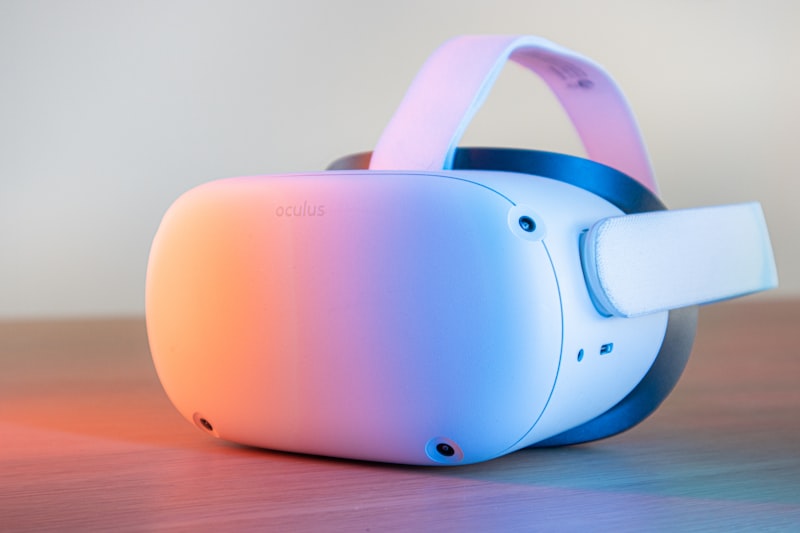
VR headsets offer immersive experiences from the comfort of your own home.
Why VR Headsets Matter for Senior Entertainment
VR provides Toronto seniors with engaging escapes that boost mental wellness and social connections. Studies show that regular VR use can improve mood by up to 25%, particularly for those who have limited mobility or spend significant time at home.
During Toronto's cold winters or hot summer days, VR allows you to explore the world without stepping outside. Imagine walking through the halls of the British Museum or swimming alongside tropical fish. These experiences provide mental stimulation and conversation starters for family visits.
North York seniors who have tried VR often describe it as refreshing and uplifting. It is also a wonderful way to stay connected with grandchildren, who often love helping set up the headsets and exploring virtual worlds together.
Step-by-Step Setup for Meta Quest Headsets
The Meta Quest is one of the most beginner-friendly VR headsets available. Here is how to set it up:
- Unbox and charge the headset. Your Quest comes with a charging cable. Plug it in and let it charge fully before your first session, which takes about 2-3 hours.
- Download the Meta Quest app on your phone. Search for "Meta Quest" in the Google Play Store or Apple App Store and install it.
- Create your Meta account. Open the app and follow the prompts to create an account. This is necessary to use the headset.
- Pair the headset with the app. Turn on your headset and follow the in-headset instructions to connect it to your phone via Bluetooth.
- Adjust the fit. The headset should sit snugly on your forehead without pressing too hard on your face. Use the adjustable straps to find a comfortable position.
- Set up your guardian boundary. The headset will ask you to trace a play area with your controller. This creates a virtual boundary to keep you safe while moving around.
- Connect to Wi-Fi. In the settings menu, connect to your home Wi-Fi network so the headset can download updates and new content.
- Download free apps. Open the Meta Quest Store and browse free apps. Start with something simple like a 360 video viewer or a meditation app.
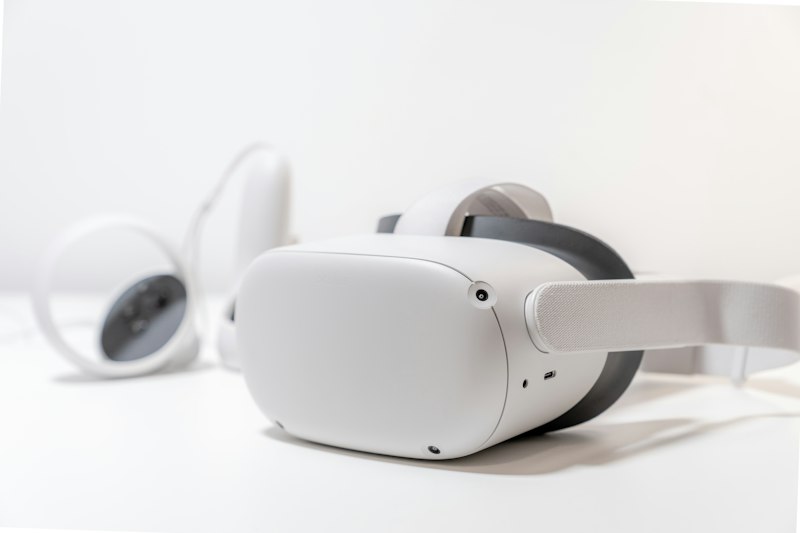
Setting up a VR headset is straightforward with step-by-step guidance.
Tips for Comfortable VR Sessions
VR is generally safe, but these tips help ensure comfortable and enjoyable experiences:
- Start with short sessions. Begin with 5-10 minute sessions to let your body adjust to the virtual environment. Gradually increase the time as you become more comfortable.
- Choose seated experiences first. Many VR apps offer seated modes, which are easier for beginners and reduce the risk of dizziness.
- Take breaks if you feel any discomfort. If you experience dizziness or nausea, remove the headset and rest. This feeling usually decreases with practice.
- Clean the lenses after each use. Use a soft, dry cloth to gently wipe the lenses. Avoid using chemicals or wet wipes on the optical parts.
- Keep the play area clear. Remove rugs, cords, and furniture from your play area to avoid tripping hazards.
- Update software regularly. New updates improve performance and add features. Enable automatic updates when possible.
Recommended Free VR Experiences for Beginners
There is plenty of free content to explore as a new VR user:
- YouTube VR. Watch 360-degree videos, from concert performances to nature documentaries.
- Guided Meditation VR. Relax in virtual gardens, beaches, or mountain tops with calming narration.
- Ocean Rift. Swim with dolphins, whales, and other sea creatures in a beautiful underwater world.
- Puzzle Places. Enjoy jigsaw puzzles in stunning virtual settings without the mess.
- VR Chat. Join virtual meetups with people from around the world. Great for social connection.
North York Tech Help is happy to guide you through your first VR experience. We take our time explaining each feature and can even accompany you on your first virtual journey.
Interested in Trying VR?
North York Tech Help provides hands-on setup and training for VR headsets. We will get you started with a personalized introduction to the technology and recommend content suited to your interests.
$60/hour with satisfaction guaranteed
Call or Text: 289-203-4346Serving North York, Willowdale, Bayview Village, Don Mills & surrounding areas
Related Articles
- How North York Seniors Can Avoid Common Tech Scams
- How to Spot Tech Scams: Red Flags Every Senior Should Know
- Speed Up Your Slow Computer: Easy Fixes for Toronto Seniors
Anthony is a tech support specialist serving seniors in North York, Willowdale, and surrounding areas. He provides patient, in-home technology help including scam protection, computer security, and digital literacy. He holds a Bachelor of Commerce from TMU and certifications in AI Engineering from IBM and Google.