Home Security Cameras for Seniors: Easy Setup Guide for North York
Feeling safe in your own home is one of the most important things in life. For seniors living independently in North York, home security cameras can provide real peace of mind. These devices let you see who is at your door, check on your property from anywhere, and receive alerts when someone approaches your home.
Modern security cameras are surprisingly affordable and easier to set up than ever before. You do not need to be technically minded to use them. With a smartphone or tablet, you can view your camera feeds from the comfort of your favourite chair or even while away visiting family.

Modern security cameras are compact and blend in with most home exteriors.
Why Consider Home Security Cameras
Security cameras offer several benefits for seniors living alone:
- See who is at your door: A doorbell camera lets you see visitors before opening the door, protecting against unwanted solicitors or potential scammers.
- Monitor your property: Check on your front porch, backyard, or driveway from inside your home or remotely.
- Receive motion alerts: Get a notification on your phone whenever someone approaches your home, so you always know what is happening.
- Peace of mind for family: Adult children can check in on their parents remotely, reducing worry for everyone.
- Evidence if needed: Recorded footage can be helpful if any suspicious activity occurs.
Popular Security Camera Options
Ring Video Doorbell
Ring is one of the most popular brands for doorbell cameras. When someone presses the button or triggers the motion sensor, you receive an alert on your phone. You can see and speak to the visitor using your phone, even if you are not home. Ring doorbells start around $100 and require a small monthly subscription for recording.
Google Nest Cam
Nest cameras offer high-quality video and integrate well with other Google products. They can be used indoors or outdoors and offer intelligent alerts that can tell the difference between people, animals, and vehicles. Prices vary depending on the model, with options for both wired and battery-powered cameras.
SimpliSafe
SimpliSafe offers a complete home security system that includes cameras, door sensors, and motion detectors. This is a good option if you want comprehensive coverage. Equipment can be purchased upfront, and monitoring plans are available without long-term contracts.

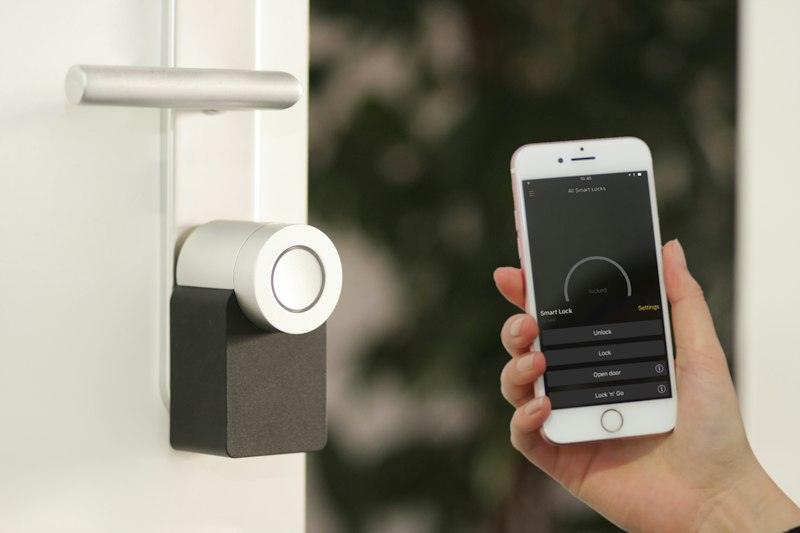
Security camera apps let you view live footage from anywhere using your smartphone.
Step-by-Step Setup Process
While each camera brand has its own specific instructions, the general process is similar:
- Choose your camera location: For a doorbell camera, the best spot is next to your door at about chest height. For outdoor cameras, consider angles that cover your driveway, backyard, or front walk.
- Connect to power: Battery-powered cameras need to be charged initially. Wired cameras simply plug into an outlet or connect to your existing doorbell wiring.
- Download the app: Search for your camera brand's app in the App Store (iPhone) or Google Play Store (Android). Download and install it on your phone or tablet.
- Create an account: Open the app and follow the prompts to create an account using your email address. Choose a strong password that you will remember.
- Connect the camera to Wi-Fi: The app will guide you through connecting your camera to your home Wi-Fi network. Make sure you have your Wi-Fi password handy.
- Mount the camera: Use the included screws and bracket to attach the camera to your wall or door frame. Take your time and make sure it is secure.
- Test the view: Open the app and check the camera's view. Adjust the angle until you are satisfied with the coverage.
Where to Place Your Cameras
Placement matters for getting the most from your security cameras:
- Front door: This is the most important location. A doorbell camera or front porch camera catches visitors, delivery people, and anyone else who approaches.
- Back door: If you have a backyard or use a back entrance, this is the second most important spot.
- Driveway: A camera pointed at your driveway lets you see who is pulling up, including potential intruders.
- Backyard: If your yard is fenced, a camera can monitor anyone who enters through the gate.
Avoid pointing cameras directly at neighbours' property or public sidewalks, as this can raise privacy concerns. Focus on your own property instead.
Security cameras help seniors feel confident and secure in their own homes.
Understanding Camera Alerts
One of the most useful features of modern cameras is motion detection alerts. When your camera spots movement, it sends a notification to your phone. You can customize these alerts in several ways:
- Set detection zones: Many cameras let you draw specific areas within the view that should trigger alerts. This prevents alerts from passing cars or tree branches.
- Adjust sensitivity: If you get too many alerts, lower the sensitivity. If you are missing alerts, increase it.
- Schedule alerts: You can set your camera to only send alerts during certain hours, such as when you are expecting visitors.
Privacy and Security Considerations
It is natural to have concerns about privacy with security cameras. Here are some tips to use them responsibly:
- Secure your account: Use a unique, strong password for your camera app and enable two-factor authentication if available.
- Keep firmware updated: Camera companies occasionally release updates that fix security vulnerabilities. Your app usually reminds you when an update is available.
- Share access carefully: Only give camera access to trusted family members or friends who need it.
- Cover the lens when not needed: Some cameras have a physical privacy cover, or you can simply place a small piece of tape over the lens for peace of mind.
Need Help Setting Up Your Security Camera?
North York Tech Help assists seniors with choosing, installing, and setting up home security cameras. We can help you connect the devices, install the app on your phone, and show you how to view your cameras and manage alerts.
$60/hour with satisfaction guaranteed
Call or Text: 289-203-4346Serving North York, Willowdale, Bayview Village, Don Mills & surrounding areas
Common Questions About Home Security Cameras
Do security cameras require a subscription?
Some cameras work without a subscription and let you view live video for free. However, to save recordings or access footage from the past, most brands require a monthly subscription, usually between $3 and $10 per camera. This is optional but can be valuable if you want to review footage later.
Will my camera work in cold weather?
Most outdoor cameras are designed to withstand Canadian winters, including the cold temperatures we experience in North York. Check the product specifications to confirm the temperature range. Battery-powered cameras may need more frequent charging in very cold weather.
What if I do not have Wi-Fi?
Security cameras require an internet connection to send alerts and let you view footage remotely. If you do not have Wi-Fi at home, you might consider a simpler alarm system or speak with your internet provider about setting up home internet. Some cameras can record locally to a memory card, but you would need to be home to view the footage.
Can my family members also see the camera feeds?
Yes. Most camera apps let you invite other users to view the cameras. Your adult children or trusted friends can create their own accounts and then be given access to your cameras through the app. This way, multiple people can check on your home.
Home security cameras are a practical way to enhance your safety and stay connected to what is happening around your home. With the right setup and support, you can view your cameras easily and feel confident about who is approaching your property. Contact North York Tech Help, and we will walk you through every step of the process.
Related Articles
- How North York Seniors Can Avoid Common Tech Scams
- How to Spot Tech Scams: Red Flags Every Senior Should Know
- Speed Up Your Slow Computer: Easy Fixes for Toronto Seniors
Anthony is a tech support specialist serving seniors in North York, Willowdale, and surrounding areas. He provides patient, in-home technology help including scam protection, computer security, and digital literacy. He holds a Bachelor of Commerce from TMU and certifications in AI Engineering from IBM and Google.